How To Upgrade Your Free Phone
Understanding Your Current Phone’s Limitations
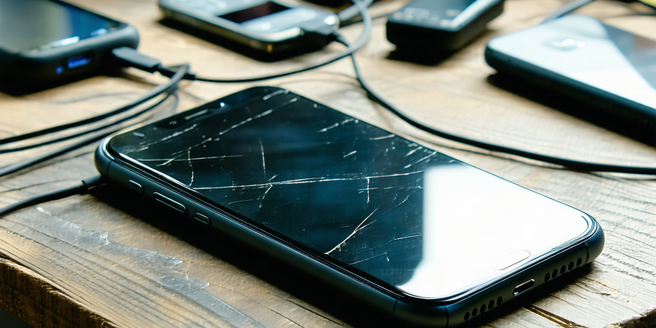
To effectively upgrade your free phone, it’s important to understand its current limitations. Consider aspects like storage capacity, speed, camera quality, and battery life. Many free phones lack advanced features compared to newer models, hindering performance and user experience. For instance, limited storage may prevent app downloads or software updates, affecting usability. Slow processors and inadequate RAM might lead to sluggish operations and multitasking issues. Evaluating battery performance is also crucial, as older models often struggle to hold a charge. Camera quality can significantly impact photography or video calls. Analyzing these limitations helps you determine what upgrades are necessary in a new phone, ensuring you choose a model that adequately addresses these shortcomings and fits your needs.
Researching Low-Cost Upgrade Options
Upgrading your phone doesn’t mean breaking the bank. Start by researching budget-friendly models that offer a balance between price and features. Compare models by renowned brands that release economical lines without compromising essential capabilities. Websites and forums offer insights and reviews on the best budget options available. Discount smartphones might also emerge from last year’s premium models, which still perform well compared to brand-new, costlier options. Explore online marketplaces, promotional offers, and certified refurbished devices that provide good value. Sign up for newsletters from trusted retailers for potential discounts or alerts on new, affordable models. Evaluating your needs helps narrow down choices. Remember, it’s important to read customer reviews and professional ratings to ensure a great purchase at a low cost.
Trading in or Selling Your Old Device
To offset the cost of your new phone, consider trading in or selling your old device. Many service providers and retailers offer trade-in programs, providing store credit or discounts for your current phone. Check with your current carrier for specific offers, ensuring you meet any requirements. If trading in isn’t sufficient or available, selling your phone is another option. Online platforms like eBay, Craigslist, or Swappa allow you to reach a wide audience. Before selling, reset your phone to factory settings to delete personal data. Research similar models to determine a competitive pricing strategy. High-quality photos and detailed descriptions enhance buyer interest. Keep your phone clean and presentable, as good condition may increase its value. Either option helps reduce your new phone’s cost while benefiting from your old device.
Selecting the Right Carrier and Plan
Choosing the right carrier and plan is a fundamental step in upgrading your phone. Begin by assessing your needs regarding data usage, call frequency, and texting habits. If your data consumption is high, opt for carriers offering unlimited or large data plans. Compare carriers based on coverage and service quality in your area. Investigate different plan types such as prepaid, family, or contract plans to see which aligns with your budget and usage. Often, carriers provide promotional deals, so inquire about ongoing discounts. Some carriers offer customized plans that can be adjusted as your usage changes. Review customer service ratings, as reliable support may be crucial if issues arise. Selecting a suitable carrier and plan ensures optimal phone performance and a seamless connectivity experience.
Making the Best Use of Trade-In Offers
Maximizing trade-in offers can significantly reduce your new phone’s cost. Begin by evaluating offers from multiple carriers and retailers, as values can vary considerably. Some companies extend bonus credits or promotional deals if you trade in during special events or towards specific models. It’s vital to verify that your phone meets all the trade-in requirements; this might include aspects like condition, model, and functionality. If legible, improve its trade-in value by cleaning the phone and ensuring all accessories, such as chargers and original packaging, are included. Back up data before resetting the device to factory settings, protecting personal information while preparing the phone for trade-in. Such preparation not only maximizes your returns but also supports a more environmentally friendly practice of electronic recycling.
Configuring and Personalizing Your New Phone
Once you’ve upgraded to a new phone, configuring and personalizing it ensures a seamless transition and optimal use. Start by transferring essential data from your old device. Use cloud services, manufacturer’s transfer apps, or Bluetooth for efficiency. Set up security features, including biometric locks or PIN codes, to protect your data. Customize home screens with your preferred layout, widgets, and apps for quick access. Delve into the settings menu to adjust display brightness, notification preferences, and sound profiles to your liking. Personalize ringtones and give apps permissions necessary for functionality. Download apps that cater to your lifestyle and productivity needs. With constant technological updates, exploring new features helps max out your phone’s capabilities. Familiarizing yourself with these settings ensures a tailored user experience suited to your preferences.